


InMail on LinkedIn: Everything You Should Know in 2026
Learn how LinkedIn InMail works in 2026, who should use it, how it compares to connection requests and the best practices that drive higher response rates.
LinkedIn is the go-to platform for many key organizational operations, from marketing and sales to recruiting, business development and PR.
What makes the platform especially powerful for these functions is LinkedIn InMail, which is a trusted communication channel that lets you directly message LinkedIn members outside your network.
For example, HR teams can use LinkedIn InMail to connect with talented candidates who are passively looking but not actively applying.
Similarly, sales professionals can send InMail messages for targeted cold outreach that can generate valuable leads from decision-makers who would otherwise be unreachable.
In this blog post, we’ll break down how LinkedIn InMail works in 2026, who should use it, how it compares to connection requests and regular LinkedIn messages, the newest features rolling out this year and the best practices that will help you turn every InMail credit into a meaningful conversation.
What Is LinkedIn InMail?
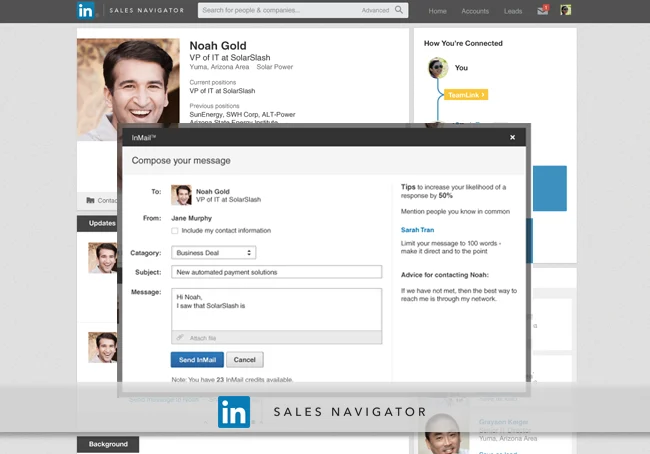
LinkedIn InMail is a premium messaging feature that allows you to directly reach out to 2nd- or 3rd-degree connections (people you’re not directly connected with) as long as you have a LinkedIn Premium account, such as Sales Navigator or LinkedIn Recruiter.
Unlike standard direct messages, which typically require existing connections, InMail opens the door to new prospects and contacts in a targeted, professional context.
Who gets access to InMails on LinkedIn?
InMail is available to LinkedIn Premium users across tiers, including Career, Business, Sales Navigator and LinkedIn Recruiter. The number of messages you can send via this feature depends on InMail credits.
The amount of monthly InMail credits on LinkedIn depends on your subscription plan.
Why Should You Use LinkedIn InMail?
LinkedIn InMail isn’t just another inbox tool — it’s a paid feature designed to give your outreach an edge that regular LinkedIn messages and cold emails can’t match. Here’s why it’s worth the investment in 2026:
1. Higher response rates
LinkedIn InMails have a 10–25% response rate when it comes to soliciting responses, which is around 300% higher than emails with the same content. That’s because when you send an InMail, it reaches the recipient via LinkedIn inbox, mobile and email notifications.
2. Increased visibility through multi-channel delivery
InMail stands out in busy inboxes because it reaches recipients in multiple places. So, if you use LinkedIn InMail messages to reach out to a lead, your message will land in their LinkedIn inbox, standard email inbox and push notifications on their mobile app. As a result, your visibility increases, boosting the chances of getting a response.
3. Targeted access to decision-makers
Investing in InMail credits gives you access to 2nd- and 3rd-degree connections, which are people you don’t directly know, making it ideal for reaching C-suite or high-level prospects.
Plus, you can use LinkedIn’s filters (by industry, job title, company size, etc.) to identify highly relevant recipients.

Note: InMail messages are not available for LinkedIn Basic (Free) plan users. However, you can send an InMail if the recipient has an open profile.
The Two Types of LinkedIn InMail
LinkedIn offers two distinct formats depending on whether you’re doing one-to-one strategic outreach or running a broader campaign. Here’s how each one works:
1. Standard InMail
Standard InMails are available to LinkedIn Premium, Sales Navigator and Recruiter subscribers. They allow you to send an InMail to 2nd- or 3rd-degree connections, even if you’re not directly connected.
Standard LinkedIn InMail is best for: Strategic one-to-one outreach
Standard LinkedIn InMail use cases: Outreach to passive candidates, sales leads or potential business collaborators via the LinkedIn inbox.
Standard LinkedIn InMail character count:
- Subject line: up to 200 characters
- Message body: up to 2,000 characters
- Ideal length: Under 400
Credits for Standard LinkedIn InMail:
Based on your LinkedIn Premium plan:
- Premium Career: 5 credits
- Premium Business: 15 credits
- Sales Navigator Core: 50 credits
- Recruiter Lite / Corporate: 30 credits + purchase additional InMail credits/month (up to 70)
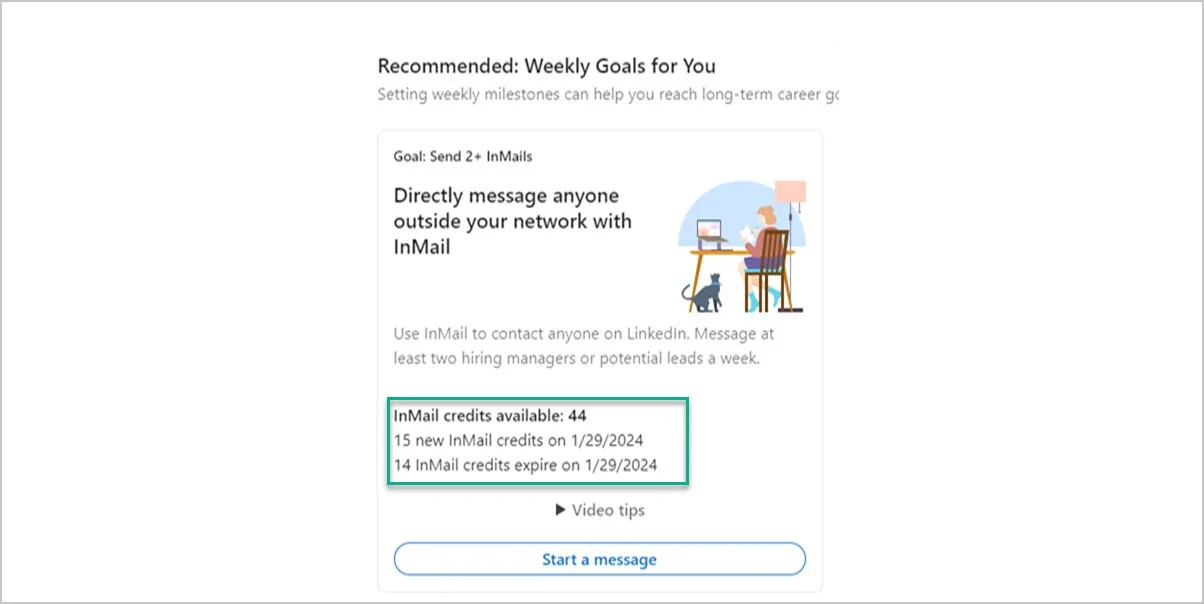
You can accumulate credits month-by-month for a maximum of three consecutive months.
2. Sponsored InMail (Now LinkedIn Message Ads)
Sponsored InMails, also called LinkedIn Message Ads, are a paid feature designed to reach a broader, highly-targeted audience beyond your connections. They appear directly in a recipient’s LinkedIn inbox, providing guaranteed visibility.
Sponsored InMail on LinkedIn is best for: Sending InMails to larger groups (as many people as you want) of targeted recipients.
Sponsored InMail on LinkedIn use cases: Marketing campaigns, event invites, webinar promotions or lead generation campaigns.
Sponsored InMail on LinkedIn character count:
- Subject line: Up to 60 characters
- Message body: Up to 1,500 characters
Credits for Sponsored InMail on LinkedIn:
Sponsored InMails do not use monthly InMail credits; they are billed as part of your ad campaign budget.
Who Should Use LinkedIn InMail in 2026?
If you’re in any of these industries or roles, LinkedIn InMail is for you:
1. Recruitment and HR Teams
For recruiters and HR professionals:
- Engage passive candidates: Reach out to high-quality professionals who may not be actively job-hunting but are open to conversations, as part of a proactive recruitment process, through well-crafted InMail messages.
- Showcase culture: Highlight your organization’s culture, career paths, and perks in a more personal way for job seekers than a job listing might allow. This becomes easier when recruiters combine InMail outreach with recruiting software for small businesses to maintain consistent communication with candidates.
2. Sales & Business Development
For sales reps and business development managers:
- Reach decision-makers: Communicate via Inmails to target VP- or C-level users at companies you’re prospecting.
- Warm up cold prospects: Share relevant content and build credibility before pitching your solution.
3. Thought Leadership & Influencer Outreach
For marketers and brand managers:
- Connect with key influencers: Share collaboration pitches, send timely follow-up messages, and nurture relationships with thought leaders who can amplify your content or co-host events.
- Promote content: Send personalized messages to a curated list of individuals who might find your latest whitepaper, webinar, or blog post valuable.
Even if you’re in the industries above, not every outreach requires an InMail. Let’s look at how InMail differs from a connection request so you can decide when it’s worth spending those credits.
InMail vs. Connection Requests
While both InMail and connection requests can help you grow your network and start conversations, they serve slightly different purposes.
Pros of InMail
- Access to 2nd and 3rd-degree connections you don’t know personally
- Higher open rates due to LinkedIn’s professional environment and the perceived exclusivity of InMail
Cons of InMail
- Limited credits per month, especially if you’re on a smaller plan
- Pending InMail messages consume credits whether they are accepted, declined, or left to expire
Pros of connection requests
- Free to send (though LinkedIn does have limits if too many are ignored)
- Can lead to a long-term relationship within your first-degree network
Cons of connection requests
- The recipient might ignore, leading to fewer next-step options
- Less immediate or direct than a well-crafted InMail, especially when the connection request is generic
When to Use InMail vs Connection Requests?
In short, you can use InMail for high-value, time-sensitive outreach where you need to stand out.
Similarly, you can use connection requests for broader, long-term networking or initiating mutual-interest conversations that aren’t urgent.
But do note that there isn’t any hard rule for either.
You can definitely use connection requests for long-term strategic outreaches that aren’t time sensitive, and InMail can be useful for broader networking as well. The point is that you need to analyze any kind of outreach effort on a case-by-case basis to make the right call.
Key Updates & Features in 2026
LinkedIn continuously refines its offerings, and InMail is no exception. Here are the latest features and enhancements you should be aware of:
1. AI-Assisted Writing
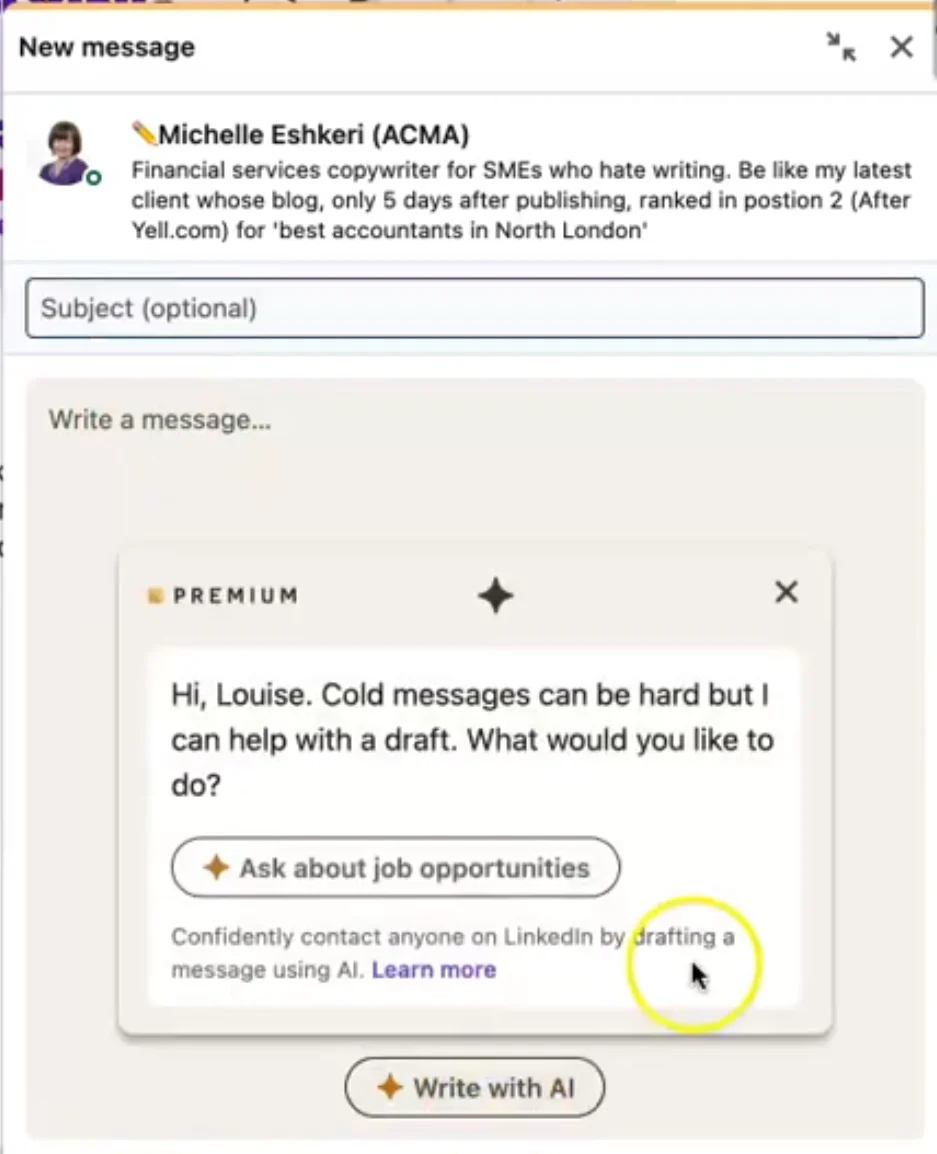
LinkedIn’s built-in AI now helps premium users draft compelling InMail messages in a single click. You’ll still want to polish the output by layering in fresh data and specific references to the recipient’s LinkedIn profile, but it dramatically cuts down the time it takes to get from blank text box to a sendable first message.
2. Analytics & Reporting
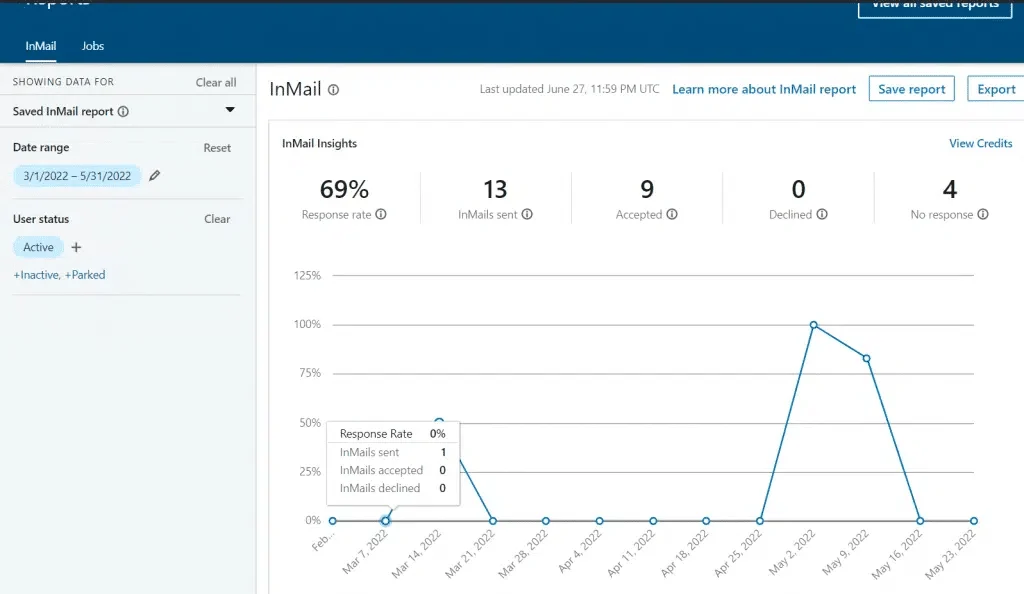
LinkedIn’s analytics dashboard helps premium subscribers, particularly recruiters and sales professionals, measure exactly how their InMail campaigns are performing.
The screenshot below shows the InMail Insights view: a top-line response rate (69% in this example), counts of InMails sent, accepted, declined and ignored, along with a time-series chart that tracks response rate over a chosen date range.
You can filter by user status (active, inactive, parked), save reports and export the data for deeper analysis.
In 2026, LinkedIn provides more detailed metrics than ever before, including the average time it took recipients to open your InMail. This open rate and time-to-open data helps you pinpoint when your audience is most active and which subject lines earn attention the fastest.
Additionally, the response rate tracker, a chart-style view showing how many leads replied and how many turned you down, gives you insights to refine your messaging strategy and decide which segments deserve more InMail credits.
3. Deep Integration with Sales Navigator & Recruiter
Sales Navigator now offers advanced filter layers that allow hyper-targeted outreach. You can identify LinkedIn members based on highly specific signals, such as “People who changed jobs in the last 90 days” and “People with skill endorsements in AI/ML,” so the message you send lands with someone genuinely likely to engage.
Similarly, recruiters can link InMail campaigns directly to talent pipelines, streamlining the sourcing process. With ATS connectivity such as Greenhouse integrations, recruiters can sync InMail responses directly into candidate profiles.
It will help both sales and HR teams to reach high-intent accounts effectively and use their InMail credits better.
Now, instead of treating InMail as a standalone outreach tool, sales and recruiting teams can run it as part of an integrated workflow where every interaction is captured and attributed.
Best Practices for Crafting Effective LinkedIn InMails
Even with the best targeting, the content of your InMail will determine success. Here’s how to make every message count:
1. Research and Target Specific Audience Segments
Spend a few minutes inspecting the recipient’s profile before you directly message another LinkedIn user. Note their job title, recent posts, mutual connections, educational background or any LinkedIn data that gives you a real reason to reach out.
For example, if they recently shared LinkedIn carousels on a certain topic, you could reference that to personalize your outreach and signal that you’re not blasting individual InMails on autopilot.
It is also advantageous to segment your audiences. If you’re sending multiple InMails, group recipients by industry, job title, years of experience or region so you can tailor your approach.
For instance, you can create a segment specifically for social media managers to ensure your messaging speaks directly to their role and priorities.
2. Craft Compelling Subject Lines
A compelling subject line is your single biggest lever for getting the recipient to open the message. Mention something specific, like their expertise in a skill or a recent trend they talked about in their recent post.
A personal touch helps your subject line stand out in a crowded LinkedIn inbox. For example, “Alex, Loved Your Product Launch Campaign” feels like a real human reaching out through the premium feature.
3. Message Structure & Length
Writing your message under 400 characters increases the response rates by 22%. So, make your point without much buildup because your recipients are scanning.
Lead with a clear value proposition. Outline what’s in it for them by highlighting the benefit or solution you’re offering.
For example, “I can show you how sending targeted InMail messages increased client engagement by 35% in just one month.”
When relevant, highlighting specific incentives, such as phantom stock payout, can further strengthen your value proposition.
4. Tone & Style
You should maintain a warm and professional tone that should feel friendly yet respectful. It is better to avoid sounding overly casual or formal; the goal is to read like a thoughtful peer who wants to collaborate.
To put it into practice, you can use contractions like “I’d love to” instead of “I would love to” that make your sentences more conversational. When writing, just imagine the recipient to be in front of you, where you are having a direct interaction to do it more effectively.
5. Strong CTA (Call to Action)
Clarify the single next step you want the recipient to take.
Whether that’s “reply to schedule a call” or “check out this case study,” limit your message to one specific ask. If that ask involves a link, make it the only link in the message.
A single, focused CTA is far more likely to get a yes than a list of options, which tends to create decision fatigue and leaves recipients unsure of what to do.
The same principle applies to any other kind of link. Keep one link that is tied directly to your ask, or no link at all. Multiple links make a message look spammy and can turn even a well-written InMail into something that reads like a generic promotional pitch pulled from a template.
6. Follow-up Strategy
If you don’t hear back within a week or two, consider sending a polite follow-up message that references your previous message. A timely reminder often performs better than the original send.
That said, don’t bombard recipients with new messages every 2–3 days. You should give them a reasonable time to respond because people on LinkedIn are busy, and incessant messages quickly cross from persistent to annoying.
7. A/B Testing & Analytics
Experiment with different subject lines for new messages and track open rates to see which version works best. Even minor wording changes can meaningfully improve response rates.
Moreover, correlate open and response rates. If you notice high opens but low replies, tweak your CTA or message content.
Future Outlook for LinkedIn InMail: Beyond 2026
Looking ahead, InMail is poised for more advancements that will make outreach increasingly data-driven and efficient:
- Advanced AI Assistance: Expect more advanced personalization tools that go beyond drafting InMails to analyze prospects’ past interactions, content preferences, career goals and company data, which will help generate highly tailored messages ready to send.
- Integration with the Microsoft ecosystem: Since Microsoft owns LinkedIn, deeper integrations with Microsoft Teams, Outlook, Office tools and Dynamics 365 are likely. This will streamline lead management and let sales teams move between conversations and CRM without friction.
- Interactive InMail: LinkedIn may roll out features like embedded video or voice notes inside InMail messages, allowing senders to include dynamic media clips. Richer formats could meaningfully lift engagement for cold outreach and influencer pitches.
- Global expansion & localization: As LinkedIn’s user base expands in emerging markets, expect bigger investments in localized content, regional language support and culturally adapted message templates that resonate across geographies.
- Privacy settings: Expect more transparency and user controls around data permissions and AI behavior to protect LinkedIn user data. As organizations invest more in compliance and data governance, understanding benchmarks such as data protection officer salary ranges can help leadership plan the right level of oversight for secure outreach practices.
Improve Your LinkedIn InMail Efficacy with Distribution.ai
Even the best-crafted InMail is only as effective as the profile behind it and the hook that opens it.
That’s where Distribution.ai can help you.
The AI content repurposing and distribution platform sharpens your InMail performance in two ways:
1. Build a Warm, Authoritative Presence on LinkedIn
When recipients receive your message, the first thing many of them do is click your name and scan your LinkedIn profile. If they see a steady stream of thoughtful, on-brand posts, your credibility is established before they’ve even read your pitch.
Distribution.ai makes this practical by repurposing your existing content, such as blog posts, podcasts, videos and case studies, into channel-native LinkedIn posts so you stay consistently visible without spending hours writing from scratch.
2. Generate High-Value Hook Assets
Upload documents like case studies, whitepapers, webinars or research reports, and Distribution.ai helps you extract the most compelling insights into opening lines that feel tailored rather than templated.
Because these hooks are backed by your own data and proof points, they significantly outperform generic outreach, giving recipients a real reason to reply.
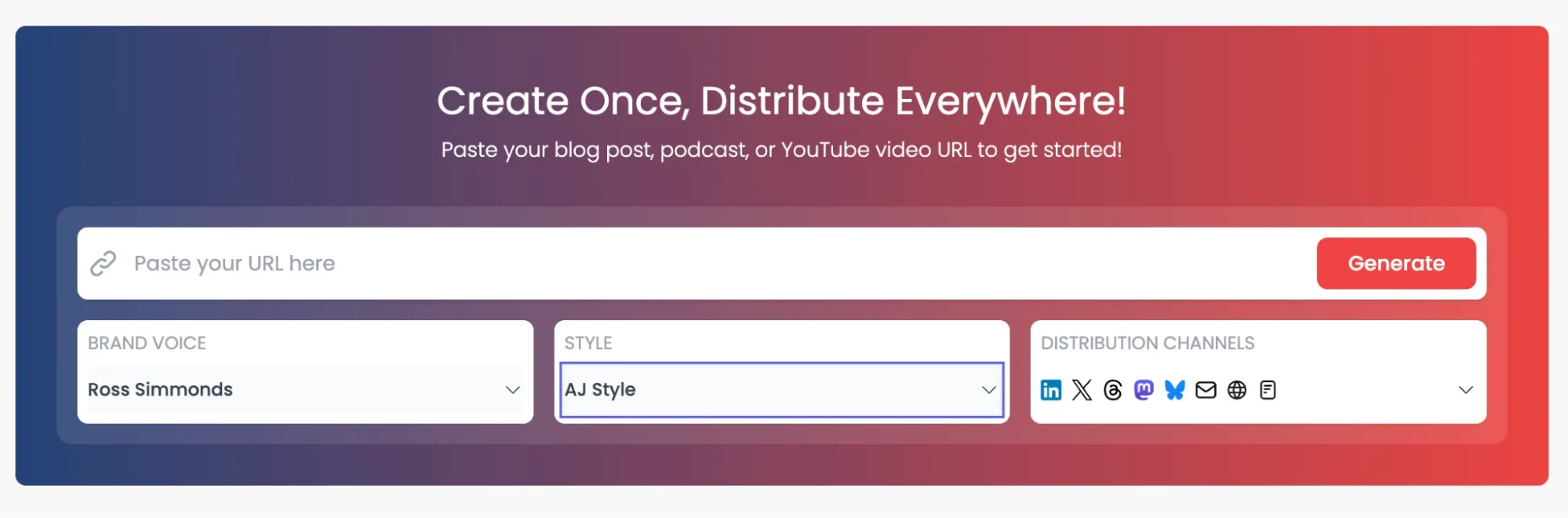
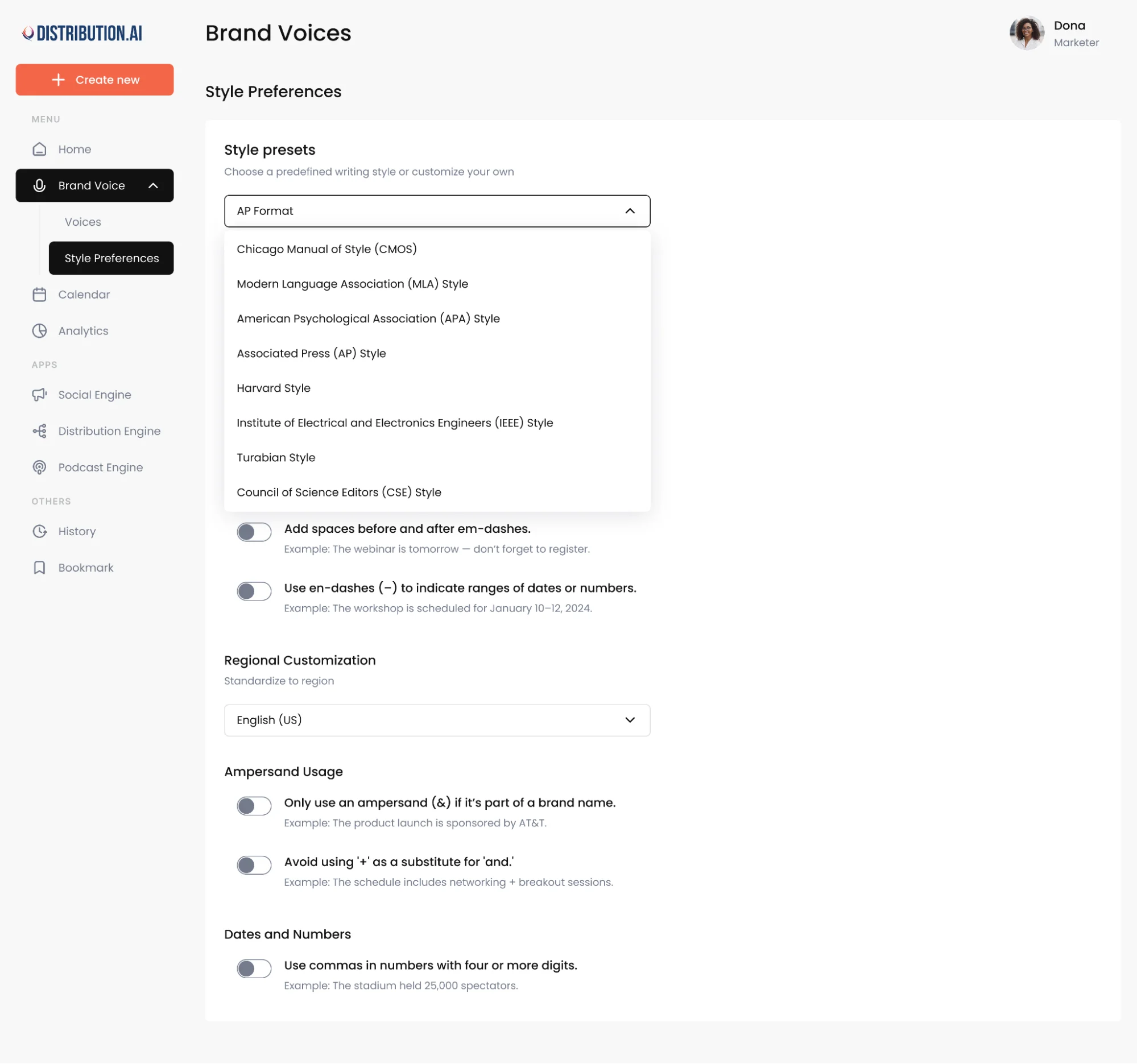
Distribution.ai also lets professionals create specific brand voices and writing styles, so your LinkedIn presence and your InMail outreach feel like they come from the same person rather than two disconnected channels.
Frequently Asked Questions
1. Does Sending LinkedIn InMail Messages to Hiring Managers Work Well?
Yes. InMails to hiring managers typically outperform standard applications because they bypass the resume pile and land directly in the recipient’s LinkedIn inbox. A personalized, concise message referencing the role and your relevant fit dramatically improves response rates.
2. Do Recruiters Evaluate a Profile When They Send InMails?
Yes, almost always. Recruiters screen your LinkedIn profile before sending an InMail to confirm you’re a good fit for the role. Make sure your headline, experience, certifications and skills are current to make a good first impression.
3. Are LinkedIn InMails Sent in Bulk or Individually?
Standard InMails are sent as individual InMails, one recipient at a time, which is why they feel personal. Sponsored InMails (LinkedIn Message Ads), by contrast, are designed for bulk delivery to targeted audiences and are billed through your ad campaign budget instead.
4. Are InMail Messages More Visible Than Direct Messages?
Yes. Unlike regular LinkedIn messages, an InMail message reaches the recipient via their LinkedIn inbox, email and mobile push notifications. This multi-channel delivery makes InMails significantly more visible than regular messages sent within your existing network.
5. How Should You Structure a LinkedIn InMail?
Start with a compelling subject line, address the recipient by name, lead with a clear value proposition and close with a single, specific CTA. Keep the message under 400 characters and avoid multiple links to maintain a clean, professional tone.
6. What Is the Difference Between InMail and a Direct Message?
Direct messages can only be sent to people you’re already connected with on LinkedIn. InMail lets you message LinkedIn members outside your network without a connection request, but it’s a paid feature that requires a LinkedIn Premium subscription and uses InMail credits.
7. Do Sponsored InMails (Message Ads) Work?
Yes, particularly for event invites, webinar promotions, new product trial invites and lead generation campaigns where you need scale. They offer guaranteed inbox placement and detailed analytics, though response rates depend heavily on audience targeting, subject line quality and offer relevance.

Promote, repurpose & distribute your content with AI
Write 10x faster, engage your audience, & never struggle with the blank page again.
Start 15-Day Free Trial
Frequently Asked Questions
Author

Promote, repurpose & distribute your content with AI
Start 15-Day Free Trial